
Using MomentumHive with Claude and AI agents (MCP)
Connect Claude or Codex to the real MCP endpoint exposed by MomentumHive and use OAuth-based agent access.
What MCP is
MomentumHive exposes an MCP server at https://momentumhive.app/mcp. It uses OAuth and Passport-backed bearer tokens rather than a one-off static API token.
What the agent can do
- Read posts, replies, analytics, CTAs, profiles, and strategy-related data.
- Create drafts, schedule posts, publish posts, and respond to replies.
- Use repost and Momentum Drop options when creating posts.
Where to configure it
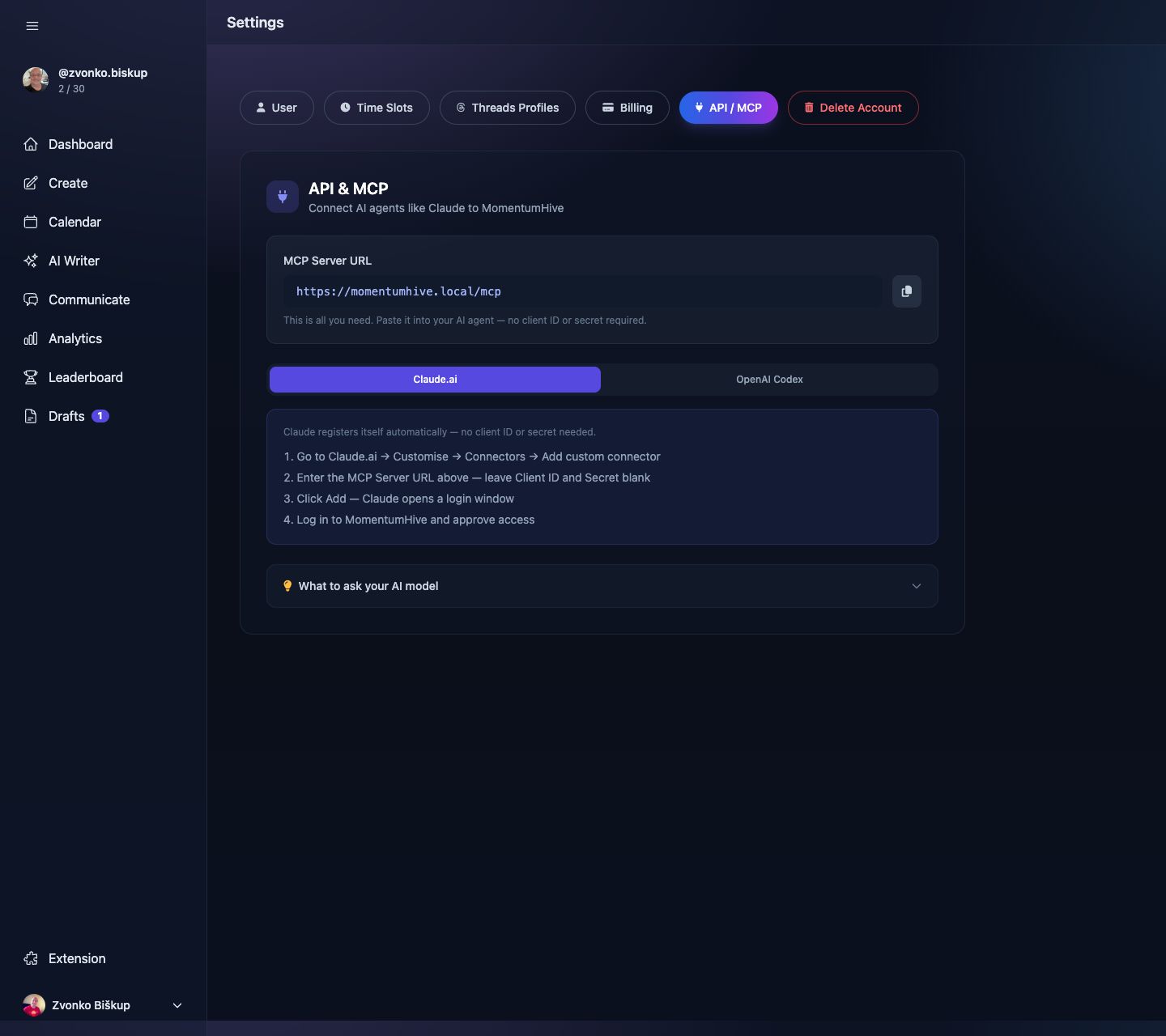
Open Settings → API / MCP. The settings partial shows the MCP server URL and tabs with setup instructions for Claude.ai and OpenAI Codex.
How auth works
- The app exposes OAuth discovery endpoints under
/.well-known/. - It supports scopes
mcp:readandmcp:write. - Dynamic client registration is available at
https://momentumhive.app/oauth/register.
Practical usage
Once connected, an agent can do things like:
- List scheduled posts for the selected profile.
- Create a multi-part thread and schedule it.
- Read the replies queue and suggest responses.
- Read analytics and top-performing posts.
The Settings page explicitly says the MCP URL is the main thing you paste into the agent. You do not manually generate a static secret in the help UI described by the old version of this article.
Rate limits
The MCP endpoint is protected by authentication middleware and rate limiting middleware. Some plan tiers also define monthly MCP call allowances.