Dashboard overview
A code-accurate tour of the Dashboard, sidebar, profile switcher, streaks, achievements, and quick stats.
What is on the dashboard
The dashboard is the home screen after the app gates clear. It is centered on one selected Threads profile and combines profile identity, streak progress, momentum points, quick stats, posting heatmap, weekly goal progress, and reply count.
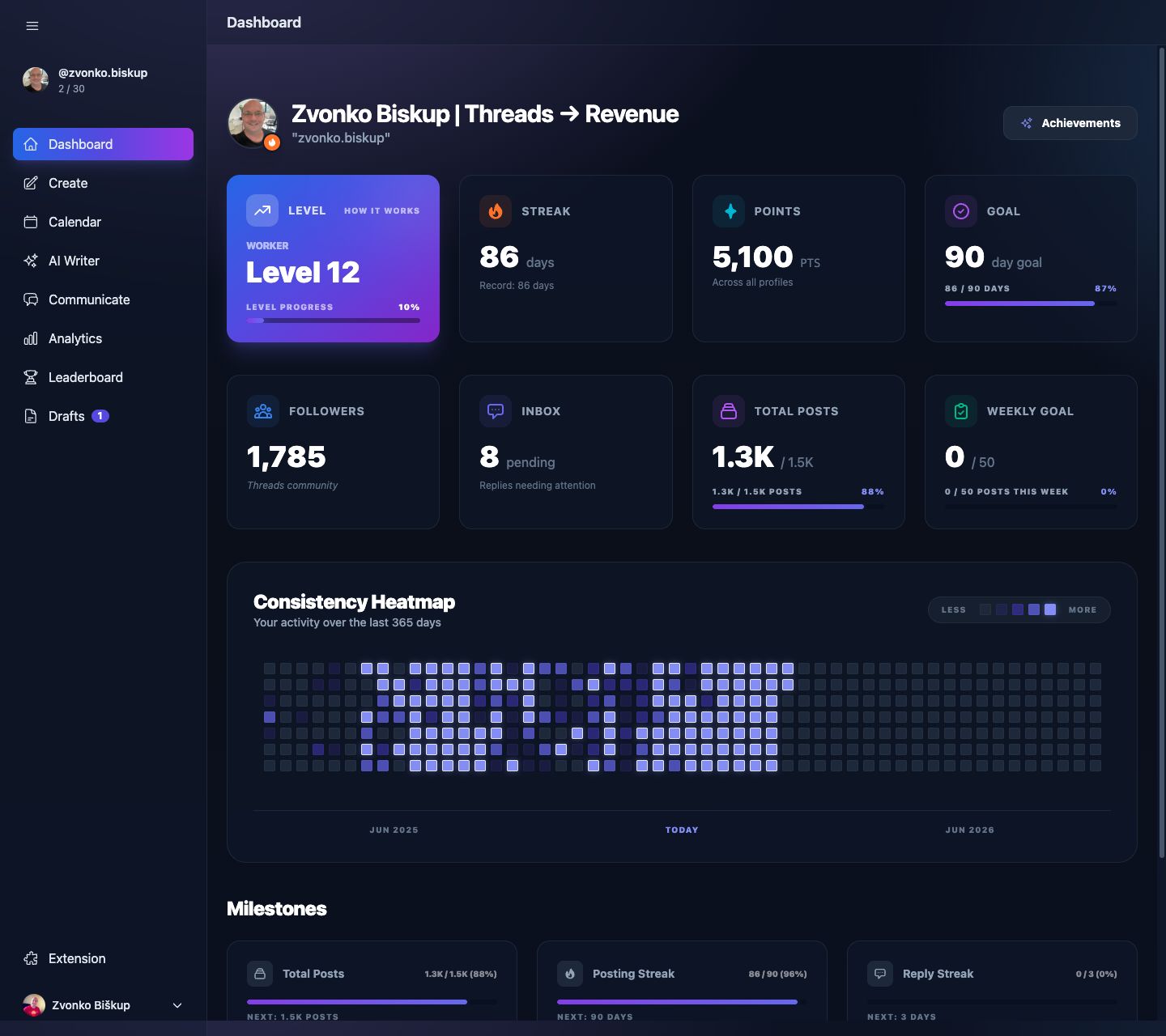
- Level, streak, points, and the next streak milestone.
- Followers, Inbox, weekly goal, and other cached stats loaded from
/api/dashboard/stats. - A 365-day posting heatmap built from posted content.
- Links into Achievements and the Momentum Guide.
Profile switcher
The sidebar contains a profile switcher. Changing it updates the selected Threads profile in session, and the rest of the app reads from that profile context unless a request explicitly overrides it.
Sidebar destinations
- Create for drafting and publishing.
- Calendar for month and week scheduling.
- Communicate for replies and lists.
- Analytics for metrics, best time, growth advisor, and posts.
- Leaderboard, Settings, and Support.
Sync banner
If a connected profile is still importing history, the dashboard shows a sync banner and polls the server until all selected profiles report history_sync_status = completed.
The follower number can come from the profile cache or the latest snapshot, so it may lag slightly behind Threads itself. The dashboard is a working view, not a millisecond-accurate live counter.